
Difference of two workflows
3D-like stroke effect in traditional vector editors usually involves multiple manual steps, duplicated shapes, blurs, and careful layer ordering. While this works, the process is often error prone and difficult to adjust later.
AnimGraphLab approaches same problem differently: the effect is built procedurally, instead of managing copies and effects by hand, end result is controled through a small number of explicit parameters from a single node. That requries less steps, less error prone.
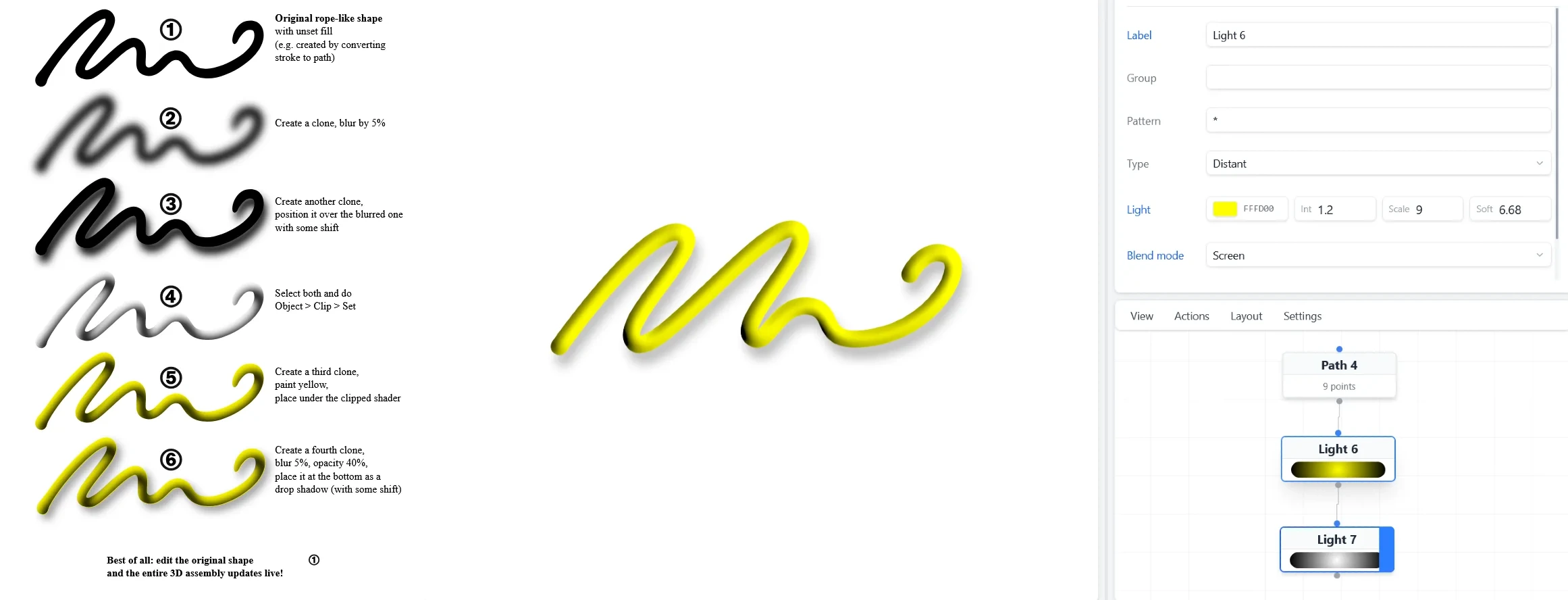
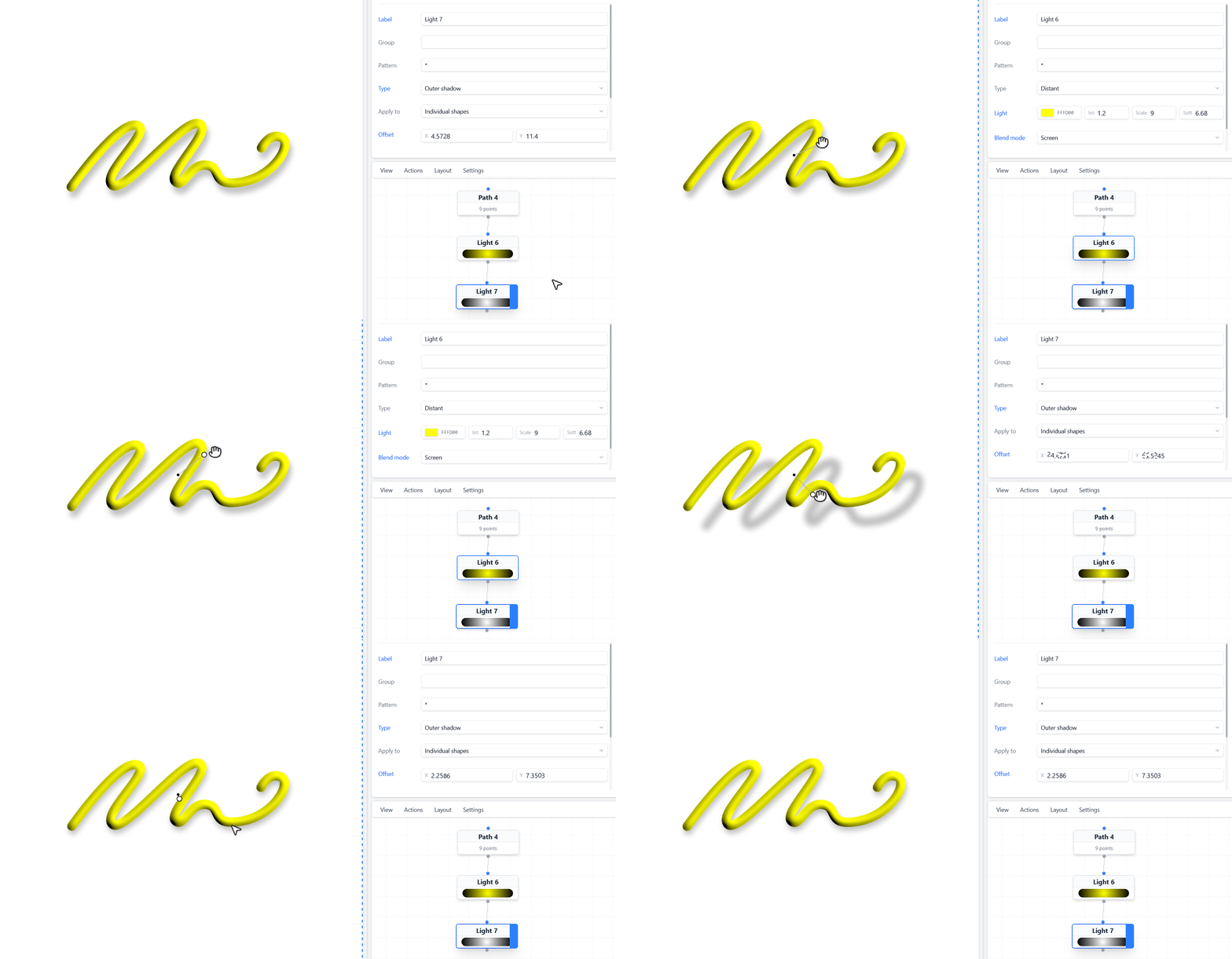
Essentially, AnimGraphLab conceals the complex, often unintuitive steps needed to create certain effects by offering a true procedural workflow—something traditional illustration apps don’t provide.
To take it a few steps furthuer to create a metal like heat effect by simply changing Blend mode to Color burn on first Light node and change a color on Path node to something towards reddish color.
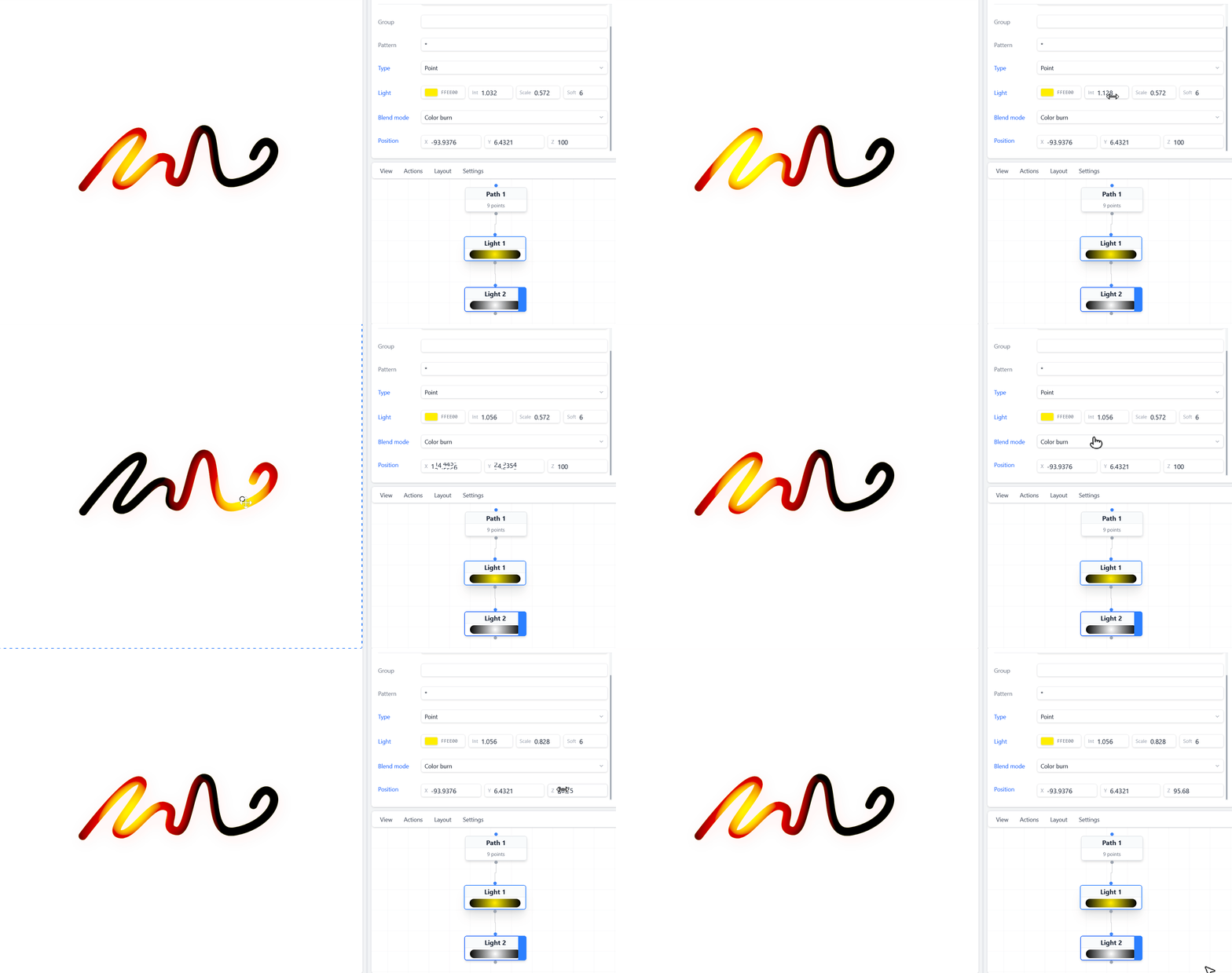
What’s cool about it is that you can save specific effect into node parameter presets or node group presets. In other words, create one effect ones and reuse in any other project later.