

Spiral node generates various types of spiral paths. Unlike closed shapes like the Circle or Rectangle, the Spiral is an open path by default (though it can be filled).
You can control where the spiral starts and ends relative to the center, as well as how many times it winds around the center.
Parameters
| Parameter | Description |
|---|---|
Label | The display name for the node. |
Type | Choose between different spiral types. |
Translate | Sets the X and Y coordinates of the shape's center. |
Start radius | The starting radius of the spiral. |
End radius | The final radius of the spiral (or scale factor). |
Arms | Number of spiral arms for Polyskelion. |
Height | The vertical height (depth) of the helix. |
Tilt | Simulates 3D depth perception. |
Revolutions | The number of full turns the spiral makes. |
Points | The number of points used to construct the spiral path. |
Divergence | Controls the curvature growth or exponent for Cornu. |
Scale | Scales the shape from its center. |
Rotation | Rotates the shape around its center. |
Blur | Applies a Gaussian blur effect to the shape. |
Spiral types
| Type | Preview |
|---|---|
| Flat | 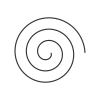 |
| Fermat | 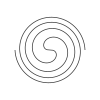 |
| Polyskelion | 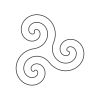 |
| Cornu | 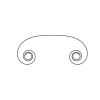 |
| Tractrix | 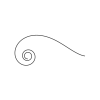 |
| Hyperbolic | 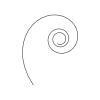 |
| Helix | 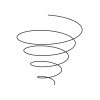 |
| Spherical | 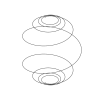 |